pastdue wrote: 16 Mar 2019, 02:23
moltengear wrote: 15 Mar 2019, 23:49
Unfortunately ImGui is only suitable for testing, debugging something, but not for creating a product for a regular user. While it may be possible to somehow accommodate.
There are good controls in the Godot engine, Blender3d. Maybe nuclear GUI.
Reference? There are a number of released apps / games that use ImGui for their UI.
Nuklear GUI has flags that allow you to customize the behavior of the window.
You can remove the curb, the ability to move controls, etc.
Nuklear GUI has more flexibility. It is possible to use both for debugging and for creating the final product.
Flags of nuklear
NK_WINDOW_BORDER - Draws a border around the window to visually separate window from the background
NK_WINDOW_MOVABLE - The movable flag indicates that a window can be moved by user input or by dragging the window header
NK_WINDOW_SCALABLE - The scalable flag indicates that a window can be scaled by user input by dragging a scaler icon at the button of the window
NK_WINDOW_CLOSABLE - Adds a closable icon into the header
NK_WINDOW_MINIMIZABLE - Adds a minimize icon into the header
NK_WINDOW_TITLE - Forces a header at the top at the window showing the title
NK_WINDOW_BACKGROUND - Always keep window in the background
NK_WINDOW_SCALE_LEFT - Puts window scaler in the left-bottom corner instead right-bottom
I don't know whether ImGui has such capabilities. I searched, I didn't find.
https://www.gamedev.net/forums/topic/69 ... ear-imgui/
It was interesting to me to read what they say about it.

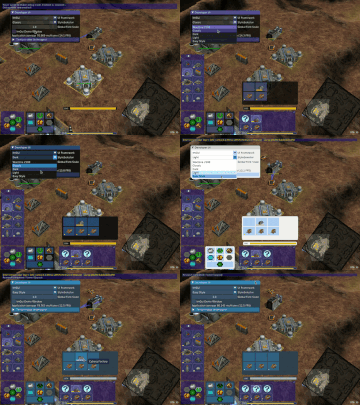




 )
)