git workflow.
Posted: 18 Mar 2013, 19:00
It is not guide. It is some links and my practices.
Getting started:
http://try.github.com/
or same course on codeacademy (if you want to have a bage) http://www.codeschool.com/courses/try-git
setup:
https://help.github.com/articles/set-up-git#
You need setup you username and email. (If you skipp --global it will setup current repo. You can have different user name for different repo.)
Global git config is in you home dir. it named ".gitconfig" (windows, linux) Don`t forget to turn show hidden files.
Local config is in .git/config
For linux users I strongly recommend to colorify command line (looks like windows msisgit bash do it itself)
http://cheat.errtheblog.com/s/git
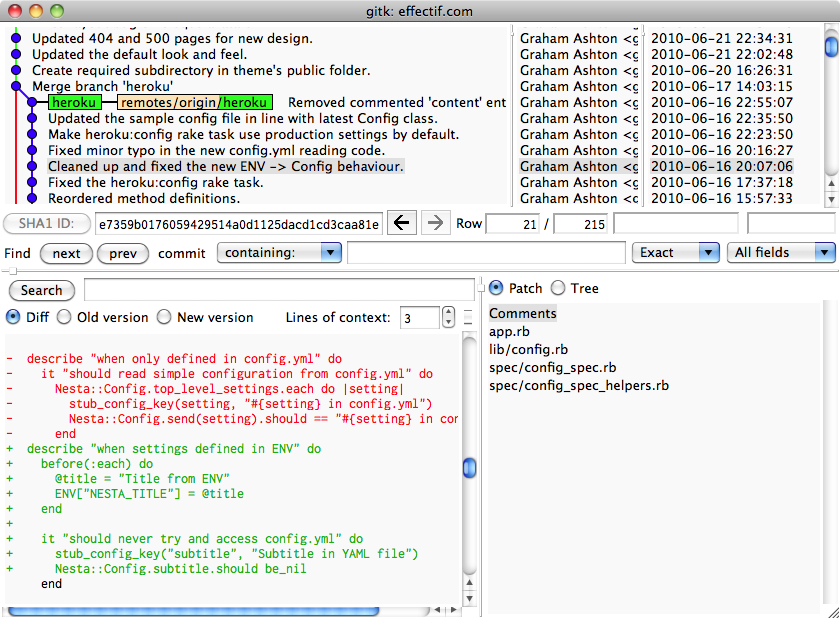
gitk --all Win/Lin/Mac.
Good tool to see branches. And make some changes. (I like to do cherry-pick via it.)
Random picture from internet:
Console
Adds all files in dir to git. Please don`t do it. It is easiest way to add garbage to project. Once I commit 1gb test file 
Normal way to add. I call git status before and copy paste names from there.
Incremental add. Context menu will appear. It is very useful when you need to add part of file to commit. I prefer that way because it force to see what you commit. Looking to code before add is very good practice.
switch to branch
Drop you changes for specified file.
Useful shortcut: commits changes with message.
Commiting
You should try to commit as often as possible.
For bug fixes one bug one commit.
For development:
Implement one feature make commit.
Give readable name to commits.
Commiting all changes for day in one big commit is bad.
Good example of commit names: https://github.com/Warzone2100/warzone2 ... its/master
Free GUI tools for git:
msysgit for windows. It looks awful for me. I don`t like it. Console is better.
AptanaStudio3 has git interface. (It is Eclipse with preinstalled plugins. Javascript support.) I think it not hard to find Eclipse plugins.
I just mention that I used personaly. If you have something to add do it.
Feel free to ask questions.
Getting started:
http://try.github.com/
or same course on codeacademy (if you want to have a bage) http://www.codeschool.com/courses/try-git
setup:
https://help.github.com/articles/set-up-git#
You need setup you username and email. (If you skipp --global it will setup current repo. You can have different user name for different repo.)
Global git config is in you home dir. it named ".gitconfig" (windows, linux) Don`t forget to turn show hidden files.
Local config is in .git/config
For linux users I strongly recommend to colorify command line (looks like windows msisgit bash do it itself)
http://cheat.errtheblog.com/s/git
gitk --all Win/Lin/Mac.
Good tool to see branches. And make some changes. (I like to do cherry-pick via it.)
Random picture from internet:
Spoiler:
Code: Select all
git add .Code: Select all
git add <file>Code: Select all
git add -iCode: Select all
git checkout <branch>Code: Select all
git checkout <filename>Code: Select all
git commit -m "Add new feature to project"Commiting
You should try to commit as often as possible.
For bug fixes one bug one commit.
For development:
Implement one feature make commit.
Give readable name to commits.
Commiting all changes for day in one big commit is bad.
Good example of commit names: https://github.com/Warzone2100/warzone2 ... its/master
Free GUI tools for git:
msysgit for windows. It looks awful for me. I don`t like it. Console is better.
AptanaStudio3 has git interface. (It is Eclipse with preinstalled plugins. Javascript support.) I think it not hard to find Eclipse plugins.
I just mention that I used personaly. If you have something to add do it.
Feel free to ask questions.